GroupDocs.Parser at a glance

Document Parser SDK for performing high‑accuracy document parsing in Python applications

Illustration parser

Extract data from documents

GroupDocs.Parser for Python via .NET API enables you to retrieve text, metadata, and images from a wide range of file formats such as Office documents, emails, attachments, and archives. This powerful tool helps you efficiently access and process valuable information contained within these files for various applications like data analysis, search engine indexing, or content management systems.

Parse documents

Extract various elements such as hyperlinks, tables, QR codes, barcodes and data from PDF forms. Also parse any desired information from documents using custom templates.

Customizing results

Python API enables you to retrieve data in various formats such as raw, structured, HTML, or Markdown. Additionally, the API offers a search functionality for locating specific words or phrases within the text of documents.

Platform Independence

GroupDocs.Parser for Python via .NET supports the following operating systems, frameworks and package managers

Amazon
Docker
Azure
VS Code
ReSharper
macOS
Linux
NuGet

Supported file formats

GroupDocs.Parser for Python via .NET supports operations with the following file formats.

Microsoft Office formats

  • Word: DOCX, DOC, DOCM, DOT, DOTX, DOTM, RTF
  • Excel: XLSX, XLS, XLSM, XLSB, XLTM, XLT, XLTM, XLTX, XLAM, SXC, SpreadsheetML
  • PowerPoint: PPT, PPTX, PPS, PPSX, PPSM, POT, POTM, POTX, PPTM

Images & Other Formats

  • Portable: PDF
  • Images: JPG, BMP, PNG, TIFF, GIF
  • Other office formats: ODT, OTT, OTS, ODS, ODP, OTP, ODG

Other formats

  • Web: HTML, MHTML
  • Archives: ZIP, TAR, 7Z
  • e-Books: CHM, EPUB, FB2, MOBI

GroupDocs.Parser for Python via .NET features

Extract data from PDFs, Office documents, images and other formats swiftly and accurately with our Python Document Parser SDK

Feature icon

Extract text

Extract textual information from various file formats such as office documents, PDF files and images for easy readability and analysis.

Feature icon

Extract images

Retrieve visual content from diverse sources like office documents, PDF files for convenient access and use.

Feature icon

Scan QR Codes

Detect and decode QR codes present within office documents, PDF files, or visual content for efficient information retrieval.

Feature icon

Extract data from email attachments and archives

Gather valuable information from email messages, file attachments, and compressed data sources for effective analysis and utilization.

Feature icon

Extract tables

Identify and extract tabular data from PDF documents for organized analysis and use.

Feature icon

Extract hyperlinks

Locate and extract hyperlinks and email addresses within office documents or PDF files for efficient access.

Feature icon

Parse PDF Forms

PDF Forms are digital documents featuring fillable fields for user interaction, allowing them to input information electronically. Python API can be utilized to extract data from these forms for efficient processing.

Feature icon

Parse data by templates

Create custom templates and utilize them with Python API to parse specific information from PDF files, simplifying data extraction processes.

Feature icon

Search a text in documents

Quickly locate specific words or patterns within documents.

Code samples

Beyond basic text extraction, here are the most common use cases for quick text, image and metadata extraction.

Search Text in a Document

This example shows how to search for a specific phrase in a PDF document and print where it was found.

Search Text in a Document in Python

from groupdocs.parser import Parser

# Load the document
with Parser("sample.pdf") as parser:
    # Print the page index and rectangle where the phrase was found
    for area in parser.Search("Total Amount"):
        # Print the page index and rectangle where the phrase was found
        print(f"Page {area.PageIndex}, Rectangle: {area.Rectangle}")

Extract Images from a Document

This example shows how to extract images from a PDF document and save them to a file.

Extract Images from a Document in Python

from groupdocs.parser import Parser

# Load the document
with Parser("sample.docx") as parser:
    # Extract images from the document
    images = parser.GetImages()

    # Save the images to a file
    index = 1
    for image in images:
        image.Save(f"image_{index}.png")
        index += 1

Extract Metadata from a Document

This example shows how to extract metadata from a PDF document and print it.

Extract Metadata from a Document in Python

from groupdocs.parser import Parser

# Load the document
with Parser("sample.pdf") as parser:
    # Extract metadata from the document
    metadata = parser.GetMetadata()

    # Print the metadata
    for item in metadata:
        print(f"{item.Name}: {item.Value}")

Ready to get started?

Download GroupDocs.Parser for free or get a trial license for full access!

Useful resources

Explore documentation, code samples, and community support to enhance your experience.

Temporary license tips

1
Sign up with your work email.
Free mail services are not allowed.
2
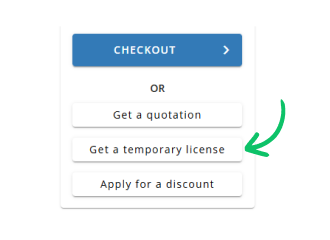
Use Get a temporary license button on the second step.
 English