GroupDocs.Markdown at a glance

Java API to export documents to clean, structured Markdown.
Illustration markdown

Accurate and reliable conversion

Efficiently convert supported formats to Markdown while maintaining structure integrity. A single JAR runs on Windows, Linux, and macOS on Java SE 8 and above.

Popular formats supported

Export PDF, Word, Excel, eBooks, Web and plain text files to Markdown, including password-protected documents.

Runs on your local machine

You control your data — an on-premise API that does not require any cloud or internet connection.

Platforms support

The following operating systems and package managers are supported.

Amazon
Docker
Azure
Eclipse
IntelliJ
Windows
Linux
macOS
Maven

Supported file formats

The following file formats are supported for export to Markdown.

PDF

  • Digital PDFs, PDF/A, PDF/E, PDF/X and PDF/UA
  • Encrypted and Signed PDFs

Word & Excel

  • Word: DOCX, DOC, RTF, DOCM, DOTX, DOTM, DOT, ODT, OTT
  • Excel: XLSX, XLS, CSV, XLSM, XLSB, ODS, TSV, NUMBERS, XLTX, XLTM, XLAM, FODS, SXC, OTS, XLT

Other

  • e-Books: EPUB, MOBI, AZW3
  • Text: TXT, XML
  • Web: CHM

GroupDocs.Markdown features

These are the features that make our product stand out.

Feature icon

Export multiple document formats

Convert most popular document formats to Markdown (PDF, DOCX, XLSX, EPUB and more).

Feature icon

Advanced Markdown formatting

Headings, paragraphs, lists, tables, links, images, blockquotes and code blocks are exported to the appropriate Markdown syntax.

Feature icon

Full control over images

Take control over images by exporting them or embedding into the output Markdown file.

Feature icon

Runs on your local machine

No cloud or Internet connection required. All processing is done on your local machine.

Feature icon

Intuitive public API

Simple and intuitive public API designed by developers for developers with love.

Feature icon

Works on Windows and Linux

.NET and .NET Framework assemblies are provided within the NuGet package.

Code samples

The most common usage scenarios for exporting documents to Markdown in Java.

Export DOCX to Markdown

Convert a Word document to Markdown. Images are embedded as Base64 by default.
// Import the class
import com.groupdocs.markdown.MarkdownConverter;

// Convert and save output to file
MarkdownConverter.toFile("annual-review.docx", "annual-review.md");

Save images to a folder

Convert a document to Markdown and save images to a separate folder with relative paths.
// Import the classes
import com.groupdocs.markdown.DocumentConvertOptions;
import com.groupdocs.markdown.ExportImagesToFileSystemStrategy;
import com.groupdocs.markdown.MarkdownConverter;

// Configure image export to file system
ExportImagesToFileSystemStrategy strategy =
        new ExportImagesToFileSystemStrategy("./images");
strategy.setImagesRelativePath("images");

DocumentConvertOptions options = new DocumentConvertOptions();
options.setImageExportStrategy(strategy);

// Convert and save output to file
MarkdownConverter.toFile(
        "annual-report.docx", "annual-report.md", options);

Inspect document and convert specific pages

Get document metadata before converting, then export only the pages you need.
// Import the classes
import com.groupdocs.markdown.DocumentConvertOptions;
import com.groupdocs.markdown.DocumentInfo;
import com.groupdocs.markdown.MarkdownConverter;

// Inspect the document without converting
DocumentInfo info = MarkdownConverter.getInfo("report.pdf");
System.out.println(info.getPageCount() + " pages, by " + info.getAuthor());

// Convert only the first 3 pages with front matter
DocumentConvertOptions options = new DocumentConvertOptions();
options.setPageNumbers(new int[] { 1, 2, 3 });
options.setIncludeFrontMatter(true);

// Use the one-liner static method
String md = MarkdownConverter.toMarkdown("report.pdf", options);

Ready to get started?

Download GroupDocs.Markdown for free or get a trial license for full access!

Useful resources

Explore documentation, code samples, and community support to enhance your experience.

Temporary license tips

1
Sign up with your work email.
Free mail services are not allowed.
2
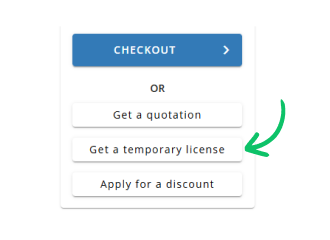
Use Get a temporary license button on the second step.
 English