GroupDocs.Annotation at a Glance

Enhance your Java applications with professional annotation tools

Illustration annotation

Mark Up Text

With GroupDocs.Annotation for Java, you can highlight, underline, strike out, or replace text. Compatible with PDFs, Word, Excel, and more, it’s ideal for collaborative review and document feedback.

Draw Shapes

Add area, ellipse, point, arrow, distance, and polyline annotations to call out content and measurements with configurable colors.

Comments and Replies

Attach an author and threaded replies to any annotation to drive structured review and approval processes.

Manage and Exchange Annotations

List, update, and remove annotations, filter by type, render previews, and import or export annotations as XML.

Platform Independence

GroupDocs.Annotation for Java works across major operating systems, frameworks, and development platforms.

Amazon
Docker
Azure
IntelliJ IDEA
Eclipse
macOS
Linux
Maven

Supported File Formats

GroupDocs.Annotation for Java supports working with the following file formats.

MS Office Formats

  • Word: DOCX, DOC, DOCM, DOT, DOTX, DOTM, RTF
  • Excel: XLSX, XLS, XLSM, XLSB, ODS
  • PowerPoint: PPT, PPTX, PPS, PPSX

Other Office Formats

  • Portable: PDF
  • OpenDocument: ODT, ODP
  • Diagram: VSD, VSDX

Other Formats

  • Images: BMP, JPEG, PNG, TIFF
  • CAD: DWG, DXF
  • Email: EML, EMLX

What You Can Do with GroupDocs.Annotation

Quickly add and manage annotations in PDFs, Office documents, and images with precision.

Feature icon

Text Markup

Highlight, underline, strike out, or squiggly-underline text across the document.

Feature icon

Graphic Shapes

Draw area, ellipse, arrow, point, distance, and polyline annotations with custom colors.

Feature icon

Watermarks & Stamps

Add text watermarks, image stamps, and editable text fields to a document page.

Feature icon

Get and Remove

Read every annotation in a document, then remove by id, type, or instance.

Feature icon

Comments & Replies

Attach threaded replies with user and timestamp metadata to any annotation.

Feature icon

Import and Export

Save a document’s annotations to XML and load them back into another document.

Code Samples

Common GroupDocs.Annotation for Java use case examples

Highlight Text

GroupDocs.Annotation for Java empowers Java developers to highlight text and add markup to documents:

Highlight Text in a Document

// Open the document with an Annotator instance
Annotator annotator = new Annotator("input.pdf");
try {
    // Create a text highlight annotation defined by quad points
    HighlightAnnotation highlight = new HighlightAnnotation();
    highlight.setPageNumber(0);
    highlight.setFontColor(65535);
    highlight.setPoints(Arrays.asList(
        new Point(80, 730), new Point(240, 730),
        new Point(240, 750), new Point(80, 750)));

    // Add the highlight to the document
    annotator.add(highlight);

    // Save the annotated document
    annotator.save("annotated.pdf");
} finally {
    annotator.dispose();
}

Manage Annotations

With our API, you can read and remove annotations from a document:

Get and Remove Annotations

// Open an annotated document with an Annotator instance
Annotator annotator = new Annotator("annotated.pdf");
try {
    // Retrieve all annotations from the document
    List<AnnotationBase> annotations = annotator.get();

    // Remove the first annotation
    annotator.remove(annotations.get(0));

    // Save the updated document
    annotator.save("output.pdf");
} finally {
    annotator.dispose();
}

Stamp a Watermark

GroupDocs.Annotation for Java lets Java developers stamp a text watermark across document pages:

Stamp a Watermark on a Document

// Open the document with an Annotator instance
Annotator annotator = new Annotator("input.pdf");
try {
    // Create a diagonal text watermark and place it on the first page
    WatermarkAnnotation watermark = new WatermarkAnnotation();
    watermark.setBox(new Rectangle(100, 100, 200, 100));
    watermark.setText("CONFIDENTIAL");
    watermark.setFontColor(16711680);
    watermark.setFontSize(24.0);
    watermark.setAngle(45.0);
    watermark.setOpacity(0.5);
    watermark.setPageNumber(0);

    // Add the watermark and save the result
    annotator.add(watermark);
    annotator.save("annotated.pdf");
} finally {
    annotator.dispose();
}

Ready to get started?

Download GroupDocs.Annotation for free or get a trial license for full access!

Useful resources

Explore documentation, code samples, and community support to enhance your experience.

Temporary license tips

1
Sign up with your work email.
Free mail services are not allowed.
2
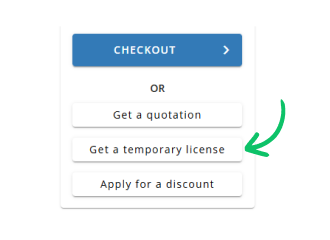
Use Get a temporary license button on the second step.
 English